Quickstart
1from mqt.bench import BenchmarkLevel, get_benchmark
2from mqt.bench.targets import get_device, get_target_for_gateset
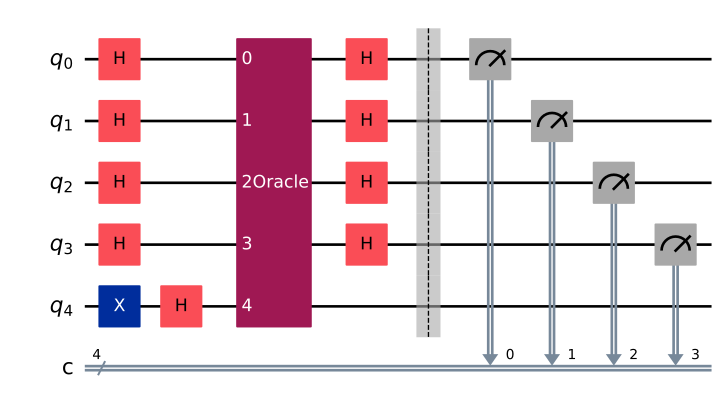
Algorithmic Level
1qc_algorithmic_level = get_benchmark(benchmark="dj", level=BenchmarkLevel.ALG, circuit_size=5)
2qc_algorithmic_level.draw(output="mpl")
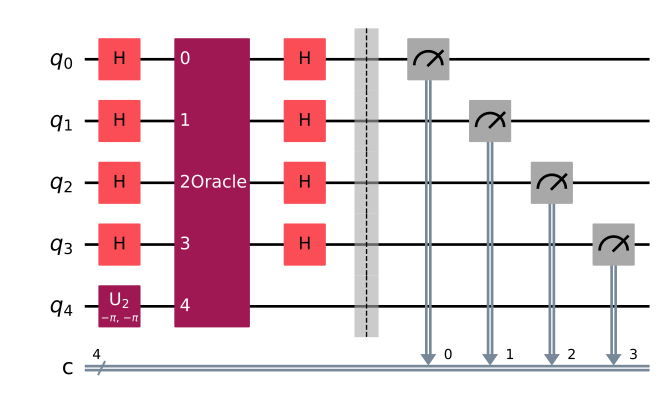
Target-independent Level
1qc_target_independent_level = get_benchmark(benchmark="dj", level=BenchmarkLevel.INDEP, circuit_size=5)
2qc_target_independent_level.draw(output="mpl")
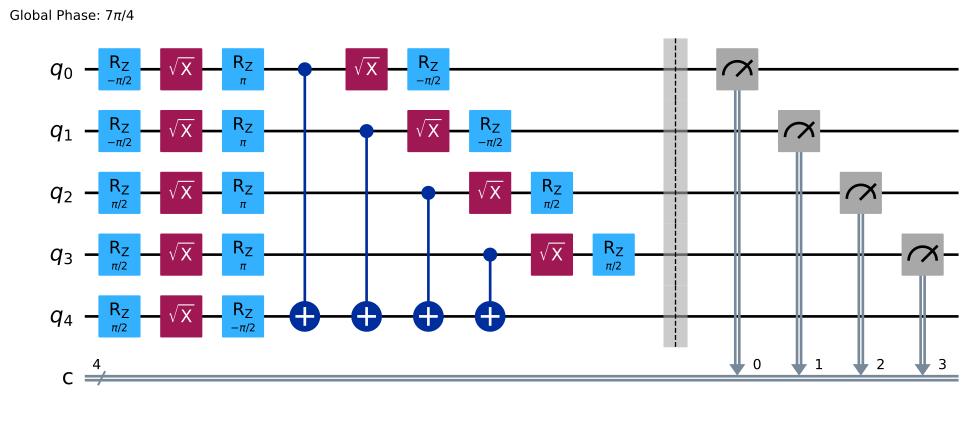
Target-dependent Native Gates Level
1qc_native_gates_level = get_benchmark(
2    benchmark="dj",
3    level=BenchmarkLevel.NATIVEGATES,
4    circuit_size=5,
5    target=get_target_for_gateset("ibm_falcon", 5),
6    opt_level=2,
7)
8qc_native_gates_level.draw(output="mpl")
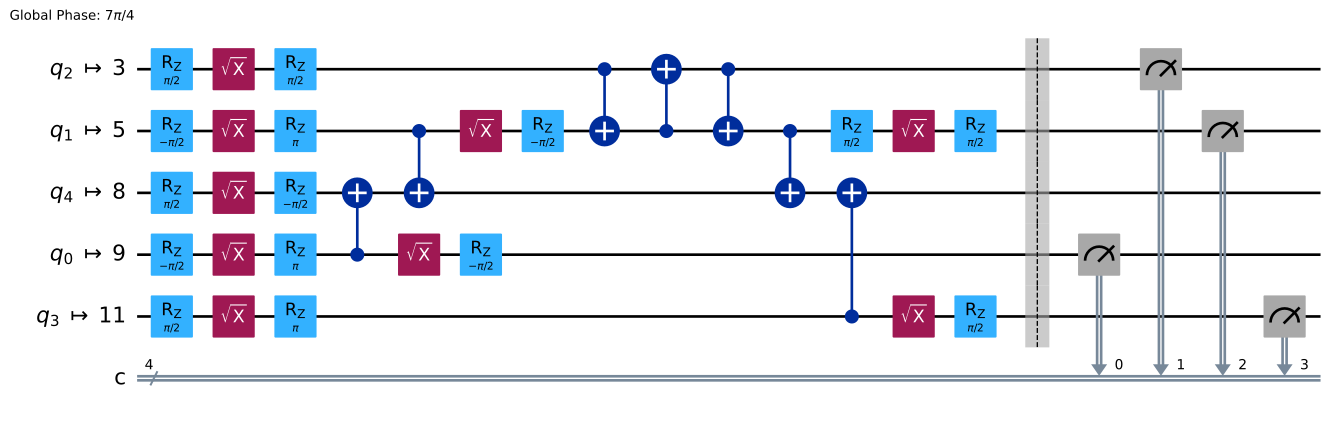
Target-dependent Mapped Level
1qc_mapped_level = get_benchmark(
2    benchmark="dj",
3    level=BenchmarkLevel.MAPPED,
4    circuit_size=5,
5    target=get_device("ibm_falcon_27"),
6    opt_level=2,
7)
8qc_mapped_level.draw(output="mpl")
Mirror Circuits
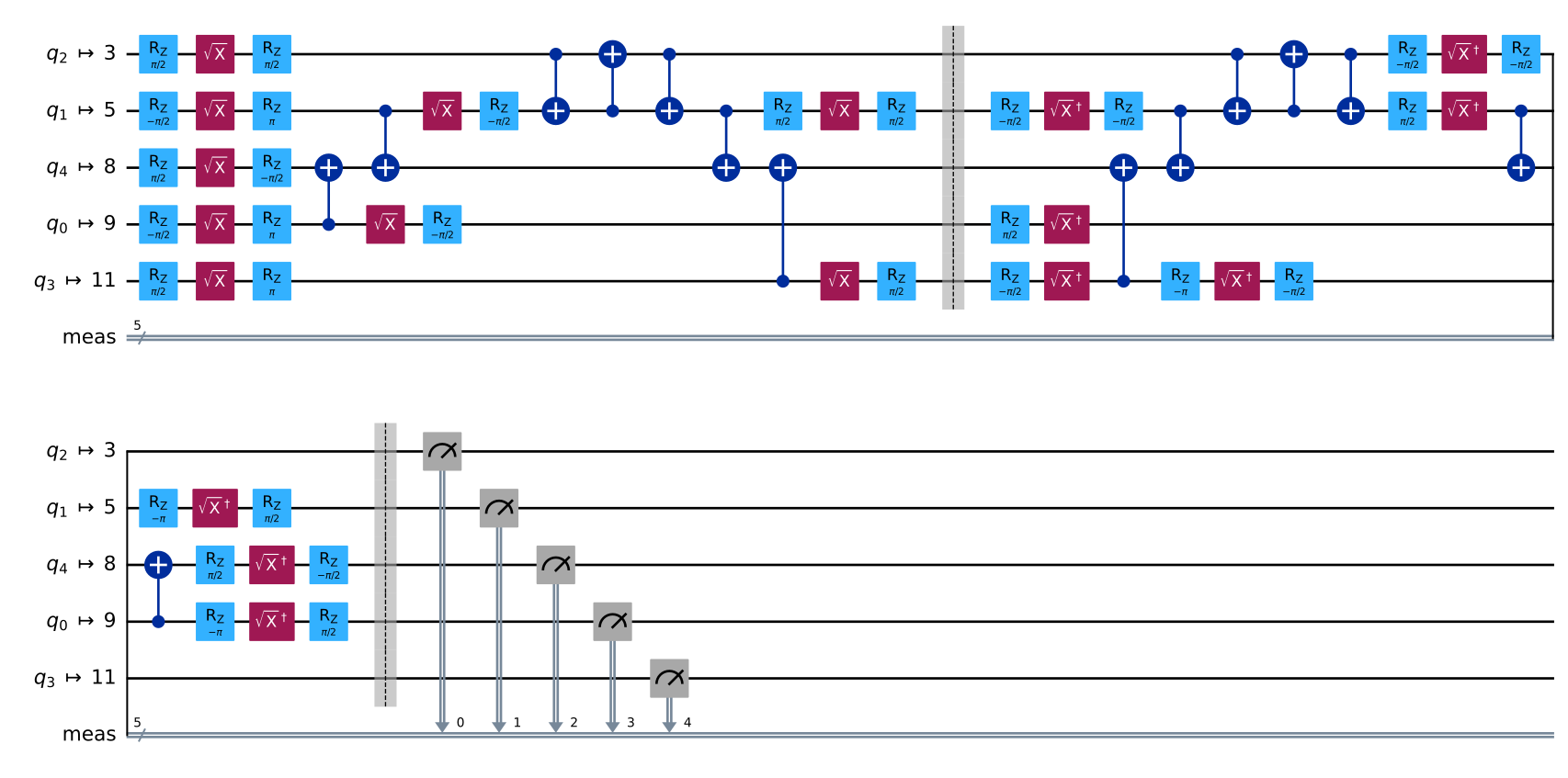
Mirror circuits replicate a given benchmark circuit and its mirror image (inverse) concatenated together. This is useful for performance benchmarking because the ideal final state is known (all qubits should return to their initial state), making deviations easy to detect. Here, we mirror the circuit obtained in the Target-dependent Mapped Level section.
1qc_mirrored = get_benchmark(
2    benchmark="dj",
3    level=BenchmarkLevel.MAPPED,
4    circuit_size=5,
5    target=get_device("ibm_falcon_27"),
6    opt_level=2,
7    generate_mirror_circuit=True,
8)
9qc_mirrored.draw(output="mpl")
Self-defined Circuits
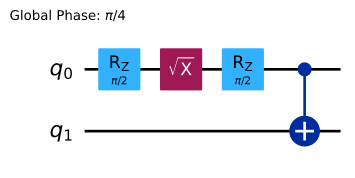
Sometimes you want to derive benchmark circuits from an original circuit that you created yourself. You can create a qiskit.QuantumCircuit, pass it directly to get_benchmark, and let MQT Bech compile it for your chosen target backend.
1from qiskit import QuantumCircuit
2
3qc = QuantumCircuit(2)
4qc.h(0)
5qc.cx(0, 1)
6
7qc_circuit = get_benchmark(benchmark=qc, level=BenchmarkLevel.NATIVEGATES, target=get_target_for_gateset("ibm_falcon", 2))
8qc_circuit.draw(output="mpl")
Self-defined Targets
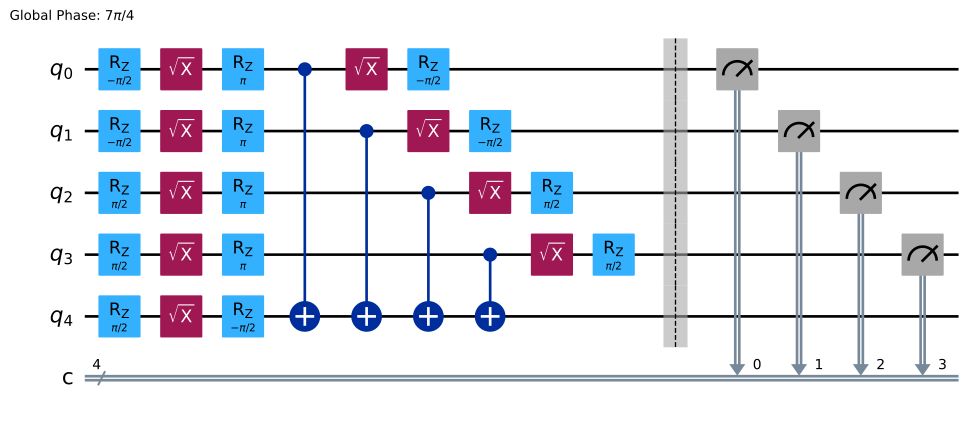
You can also provide a target manually. Here we build a 5‑qubit GenericBackendV2 with a custom basis and attach a short description before feeding it into get_benchmark.
 1from qiskit.providers.fake_provider import GenericBackendV2
 2
 3standard_gates = ["id", "x", "sx", "rz", "cx"]
 4backend = GenericBackendV2(num_qubits=5, basis_gates=standard_gates)
 5target = backend.target
 6target.description = "Awesome Target"
 7
 8qc_target = get_benchmark(
 9    benchmark="dj",
10    level=BenchmarkLevel.NATIVEGATES,
11    circuit_size=5,
12    target=target,
13    opt_level=2,
14)
15qc_target.draw(output="mpl")
Random and Symbolic Parameters
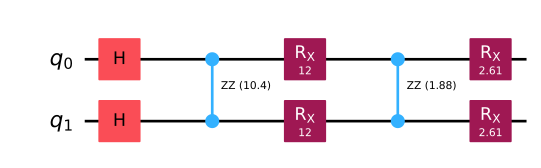
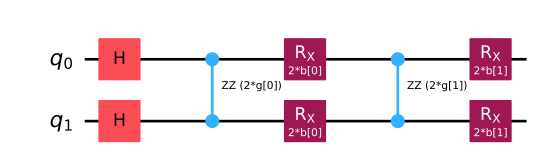
Variational benchmarks such as QAOA require sets of real parameters. MQT Bench can either choose random numeric values for you (default) or leave the parameters symbolic so that you can optimize them later.
Random Parameters (Default)
Random numeric values are generated by default.
1qc_random = get_benchmark(benchmark="qaoa", level=BenchmarkLevel.ALG, circuit_size=2)
2qc_random.draw(output="mpl")
Symbolic Parameters
Set random_parameters=False to keep the parameters symbolic instead of sampling them.
1qc_symbolic = get_benchmark(benchmark="qaoa", level=BenchmarkLevel.ALG, circuit_size=2, random_parameters=False)
2qc_symbolic.draw(output="mpl")
Output Formats
The save_circuit function lets you export circuits in several industry‑standard formats so that they can be run or analyzed by other tools.
OpenQASM2
 1from pathlib import Path
 2from mqt.bench.output import (
 3    OutputFormat,
 4    save_circuit,
 5)
 6
 7qc = QuantumCircuit(2)
 8qc.h(0)
 9qc.cx(0, 1)
10
11save_circuit(qc, "qasm2", BenchmarkLevel.INDEP, output_format=OutputFormat.QASM2)
12text_qasm2 = Path("qasm2.qasm").read_text()
13print(text_qasm2)
14Path("qasm2.qasm").unlink()
// Benchmark created by MQT Bench on 2025-07-28
// For more info: https://www.cda.cit.tum.de/mqtbench/
// MQT Bench version: 2.0.1
// Qiskit version: 2.1.1
// Output format: qasm2

OPENQASM 2.0;
include "qelib1.inc";
qreg q[2];
h q[0];
cx q[0],q[1];
OpenQASM3
1qc = QuantumCircuit(2)
2qc.h(0)
3qc.cx(0, 1)
4
5save_circuit(qc, "qasm3", BenchmarkLevel.INDEP, output_format=OutputFormat.QASM3)
6text_qasm3 = Path("qasm3.qasm").read_text()
7print(text_qasm3)
8Path("qasm3.qasm").unlink()
// Benchmark created by MQT Bench on 2025-07-28
// For more info: https://www.cda.cit.tum.de/mqtbench/
// MQT Bench version: 2.0.1
// Qiskit version: 2.1.1
// Output format: qasm3

OPENQASM 3.0;
include "stdgates.inc";
qubit[2] q;
h q[0];
cx q[0], q[1];
QPY
1qc = QuantumCircuit(2)
2qc.h(0)
3qc.cx(0, 1)
4
5save_circuit(qc, "qpy", BenchmarkLevel.INDEP, output_format=OutputFormat.QPY)
6Path("qpy.qpy").unlink()