Repository Usage
There are three ways how to use this benchmark suite:
Via the webpage hosted at https://www.cda.cit.tum.de/mqtbench/
Via the pip package
mqt.benchDirectly via this repository
Since the first way is rather self-explanatory, the other two ways are explained in more detail in the following.
Usage via pip package
MQT Bench is available via PyPI
(venv) $ pip install mqt.bench
To generate a benchmark circuit, use the get_benchmark() method.
The available parameters are described on the parameter space description page and the algorithms are described on the algorithm page.
For example, in order to obtain the 5-qubit Deutsch-Josza benchmark on algorithm level, use the following:
1from mqt.bench import BenchmarkLevel, get_benchmark
2
3qc = get_benchmark("dj", BenchmarkLevel.ALG, 5)
4qc.draw(output="mpl")
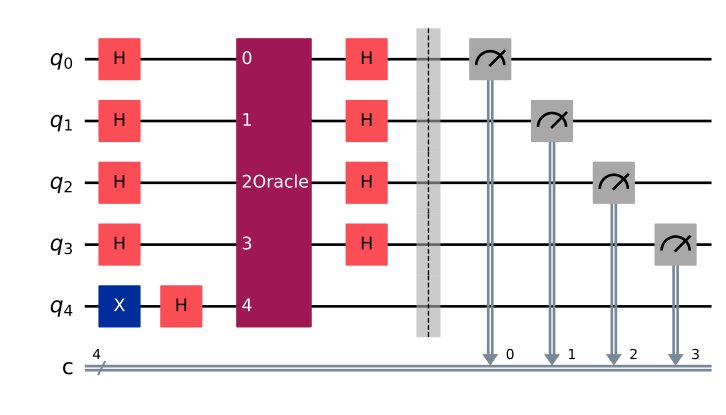
Examples can be found in the Quickstart jupyter notebook.
Usage directly via this repository
For that, the repository must be cloned and installed:
git clone https://github.com/munich-quantum-toolkit/bench.git mqt-bench
cd mqt-bench
pip install .
Afterwards, the package can be used as described above.